
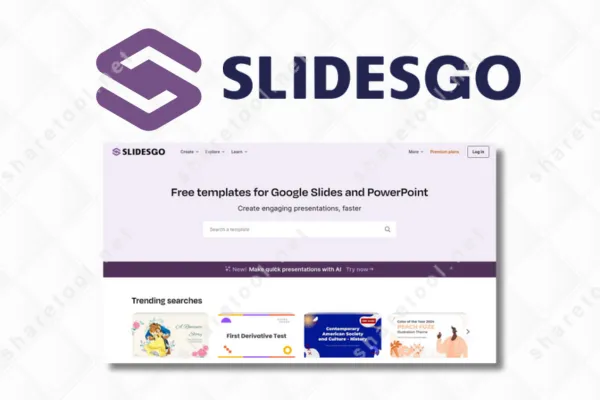
Slidesgo
Original price was: $80.00.$2.00Current price is: $2.00.
You will get: Slidesgo Premium (Shared account)
Note:
- Slides under Disney license are not supported
- Please send us your links within 7 Days after purchase
- Fill in the file format you need in the order
With 2$ , you can get 10 Slides
Slidesgo is a popular choice for those who need to create presentations but lack design skills. Creating slides from scratch is often time-consuming and difficult to control the layout. With its library of ready-made templates and AI-powered tools, Slidesgo helps users build quick and visually appealing presentations.
What is Slidesgo?
Slidesgo is an online platform that provides presentation templates for PowerPoint and Google Slides. Users can download and edit these templates for educational, teaching, or professional purposes.
- Access to thousands of Premium resources
- Unlock Extra Slides on Freemium Templates
- License to share templates
- No need to credit
- Priority support
- Ad-free browsing
- Favorite list

Why should use Slidesgo Premium account?
A Slidesgo Premium account gives you access to a premium resource library, allowing you to download slide templates for PowerPoint and Google Slides, use images and icons without attribution, and unlock advanced templates and AI tools.
What are the benefits of Slidesgo?
These templates offers great value for those who need to create presentations quickly while maintaining structure and consistency. The platform supports content, design, and workflow, making it suitable for both academic and professional use.
Extensive Template Library
- These templates offers templates for various purposes such as education, business, reporting, and training. In addition to presentation slides, the platform also includes infographics, diagrams, maps, and learning materials.
Save Time
- Users don’t need to build layouts from scratch. Slide templates already have pre-existing structures, content hierarchy, and visual elements. AI tools assist in slide creation and document conversion, shortening preparation time.
Improved Workflow
- Color, font, and layout adjustments are made directly within PowerPoint or Google Slides, reducing workflow interruptions.
Optimized Cost of Use
- For frequent users, paid plans unlock all resources and reduce the cost of hiring designers or purchasing additional tools.
Content Guidance Support
- Some templates and AI tools offer content suggestions, questions, and lesson plans. This assists users in organizing information and presenting content in a relevant and clear manner.
Enhance Presentation Skills
- Through the use of structured templates, users gradually develop the habit of presenting information in an organized manner, using visual data, and dividing content logically.
Who is Slidesgo for?
These templates is built to support various user groups who need to create presentations but are not professional designers. This platform is suitable for learning, teaching, and work situations that require clear information presentation.
Students
- These templates supports students in creating presentations, group reports, and projects. The available templates help organize content in a structured way, reducing preparation time and allowing focus on learning content.
Teachers
- Teachers can use Slidesgo to create lectures, learning plans, and classroom materials. AI tools such as lesson plan creation and question generation help support the lesson preparation process.
Office Workers
- These templates is suitable for those who create reports, internal presentations, and project presentations. The templates help maintain a consistent layout when working with PowerPoint and Google Slides.
Online Training and Education Professionals
- Course creators can use Slidesgo to create teaching slides, infographics, and illustrative content. This helps convey information in a clear sequence.
Small Business Owners and Work Teams
- These templates supports the creation of presentation materials for plans, product introductions, and team meetings.
Content and Media Professionals
- Content creators can use Slidesgo to present ideas, data, and content plans.
If you’re spending too much time creating slides only to find the results unconvincing, Slidesgo is the tool you need. The problem isn’t the content, but how you present it. Every ineffective presentation diminishes learning or work opportunities. These templates helps you get started quickly with ready-made templates. If you create slides regularly, delaying upgrades only wastes your time and advantage. Access Slidesgo today and change the way you create presentations next time.
FREQUENTLY ASKED QUESTIONS (FAQs)
We working form:
- Monday to Friday
- 8AM to 6PM (GMT+8 Singapore)
For support on your order, contact us through:
- E-mail: [email protected]
- Facebook Messenger: m.me/sharetool.net
For support on your order, contact us through:
- E-mail: [email protected]
- Facebook Messenger: m.me/sharetool.net
Please include your order ID when you make your inquiry. Please also note that contacting us may delay your orders as we work with you to make any needed changes.
We aim to respond to all inquiries within 48 hours (in case of a holiday, it will be postponed). If you have not received a response from us, feel free to send us a follow up message.
After place Order, you can get download link at: https://sharetool.net/my-account/downloads/
With Instant Deliver products, you will be automatically accessed from 5p to 24 hours
With Group Buy products, please read How Does Group Buy Work ?
Group buy fulfillment estimates are subject to change. Your product(s) may experience delays in production (the developer moved the release date) and fulfillment. By participating in a group buy, you accept that there may be delivering delays on your order.
Should major delays, events, or changes be made, we will do our best to contact you and provide appropriate support regarding such situations.
All information is for reference purposes only and may not be representative of the final product. Information may also be unavailable for product variants.
To avoid risk, we do not provide an API for any product. In case the product can provide an API, we will specify the information.
Yes, right. Some of our products has trial version. You can try it out from just $1 per day.
The purpose of trial plan (1 day) is for you to experience our system before sign-up for a subscription. It includes all the features of the plan you choose when you sign up.
Note: For trial plan, there is no refund available.
“Cancelled” is an automatic status change from “Pending Payment”. Don't worry. Our staff will check your order and complete it later.
Tools are bought from original official site. After legally complete purchase we share access details with members. Original price value very high. This way you will get it for cheaper.
Depending on the product you have purchased, we will provide either a Browser version or an Application.
- For Browser, it works directly in your browser.
- For Application, you need to install the Henull app for it to work properly (remember to use Chrome). We don't support mobile yet. You'll have to use Henull app on your laptop.
You can see more here or feel free to contact us if you need further information.
Note:
- Ensure your browser is updated to the latest version.
- A device running Windows 10 or higher for Pc/laptop.
- The application works properly only on the Chrome browser.
- To avoid risk, we do not support connecting any of your social media, store accounts, etc. to any of our products.
For many products, there isn't enough interest in the community to meet the Group Buy a second time for a second round of orders. While we don't know if certain products will ever come back, feel free to discuss the product in our community to help drum up more interest- hopefully, we'll see a second round happen from that!
If you have an unfulfilled, pending order, we can help you make changes to your order. Please note that order changes may be subject to processing fees if a refund is issued.
If your product defective, please contact us as soon as possible. Include as much detail as possible, and images. We will assess your situation and determine a resolution on a case by case basis.
We will do our best to make sure you get products that function as described. However, please understand that We are just resellers, not developers. Therefore, we are unable to add the function you want. Hope you understand and sympathize!
We accept exchanges on undownloaded, inactive, unrepairable, or undelivered products within 30 days after the order is made. Please contact us if you would like to initiate an exchange. We allow to exchange 1 or 2 times only, do not support anyone who buys one and wants to exchange 10 products. You can see more here.
Please note that we are not responsible for any costs incurred for your exchange. You must pay the difference if any.
We do not accept returns for the following products:
- You don’t like it after you’ve downloaded it
- The item did not meet your expectations
- You simply change your mind
- You bought an item by mistake
- You do not have sufficient expertise to use the item
- You can no longer access the item because it has been removed (we advise you to download items as soon as you have purchased them to avoid this situation)
Please note that group buy orders are subject to our group buy policies; group buy orders cannot be cancelled once the group buy is over. If you would like to cancel an ongoing group buy order, please contact us.
For Browser version, these tools are working efficiently on all operating systems such as Windows, Mac, Linux and work on smartphones, tablets and Chromebooks.
For Application version, these tools are working efficiently on all operating systems such as Windows, Mac and Linux.
No comments yet
Check out similar tools








Review Slidesgo
There are no reviews yet.